
PineApp
- Healthcare
- Mobile UI
- Design system
- Shipped
- Figma
- Prototyping
- Component design
Designed the Pre-Visit flow for Baptist Health's PineApp — a mobile feature that moved hospital pre-registration from paper forms into a clear, step-by-step digital experience.
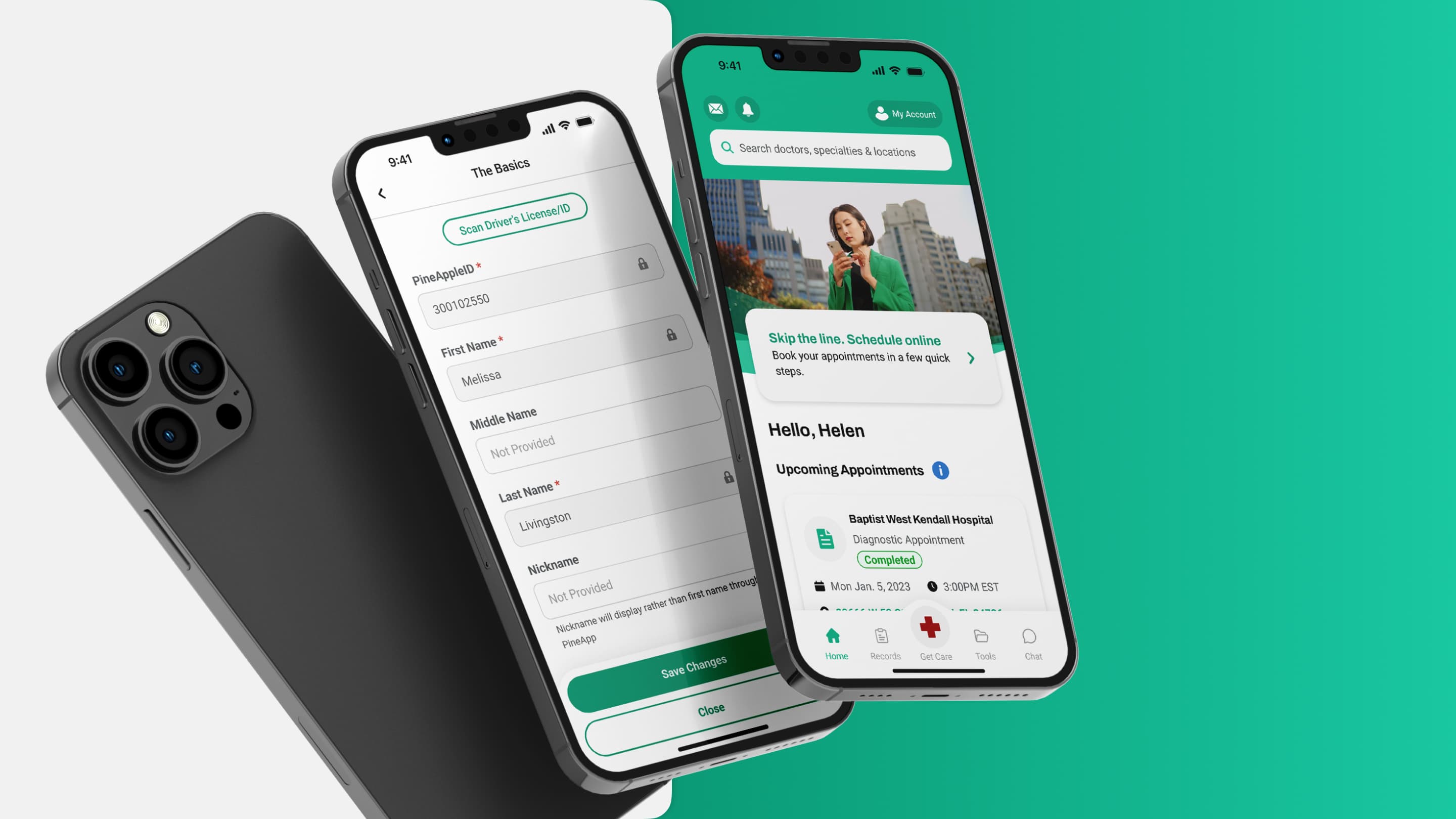
Agency work · 110 Theory for Baptist Health
Baptist Health
Flow Improvement
Healthcare / Mobile Health
2023
Mobile app · iOS and Android
Shipped to production
Senior Product Designer — 110 Theory
Design Approach
Before this feature existed, Baptist Health patients had to complete pre-registration forms manually at the front desk — on paper, under stress, and close to their appointment time. The challenge was to bring this offline process into the app in a way that felt simple, clear, and trustworthy for older adults with limited smartphone confidence, while handling real operational complexity: multiple appointments on the same day, several document types with different statuses, and irreversible final confirmation.
User research pointed consistently toward older adults — many of them retired, using a smartphone mainly for calls and texts. This shaped four core design principles:
Progressive Disclosure
Instead of recreating a paper form inside the app, the experience reveals information step by step. Users first see what needs attention, then drill into each item only when needed.
Status Visibility
Every checklist item carries a clear state: Not Started, Needs Review, or Completed. Progress is visible at a glance without relying on instructions.
Irreversible by Design
Once submitted, the data could not be changed by the patient inside the flow. The UI makes this explicit before the final step — reducing confusion and accidental submissions.
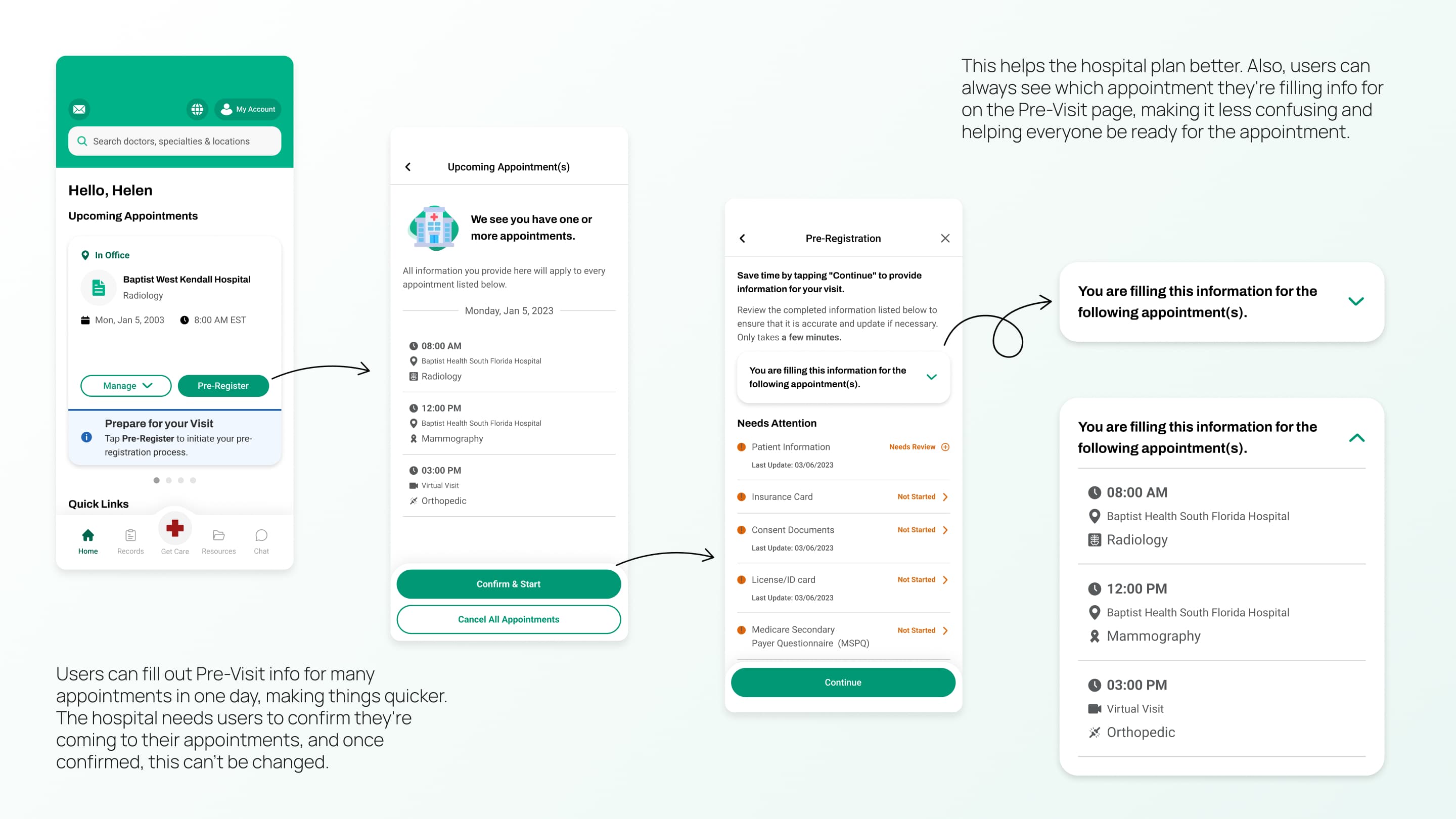
Multi-Appointment Clarity
When users had multiple appointments on the same day, the accordion pattern showed exactly which visits the forms applied to, removing ambiguity from a stressful scenario.
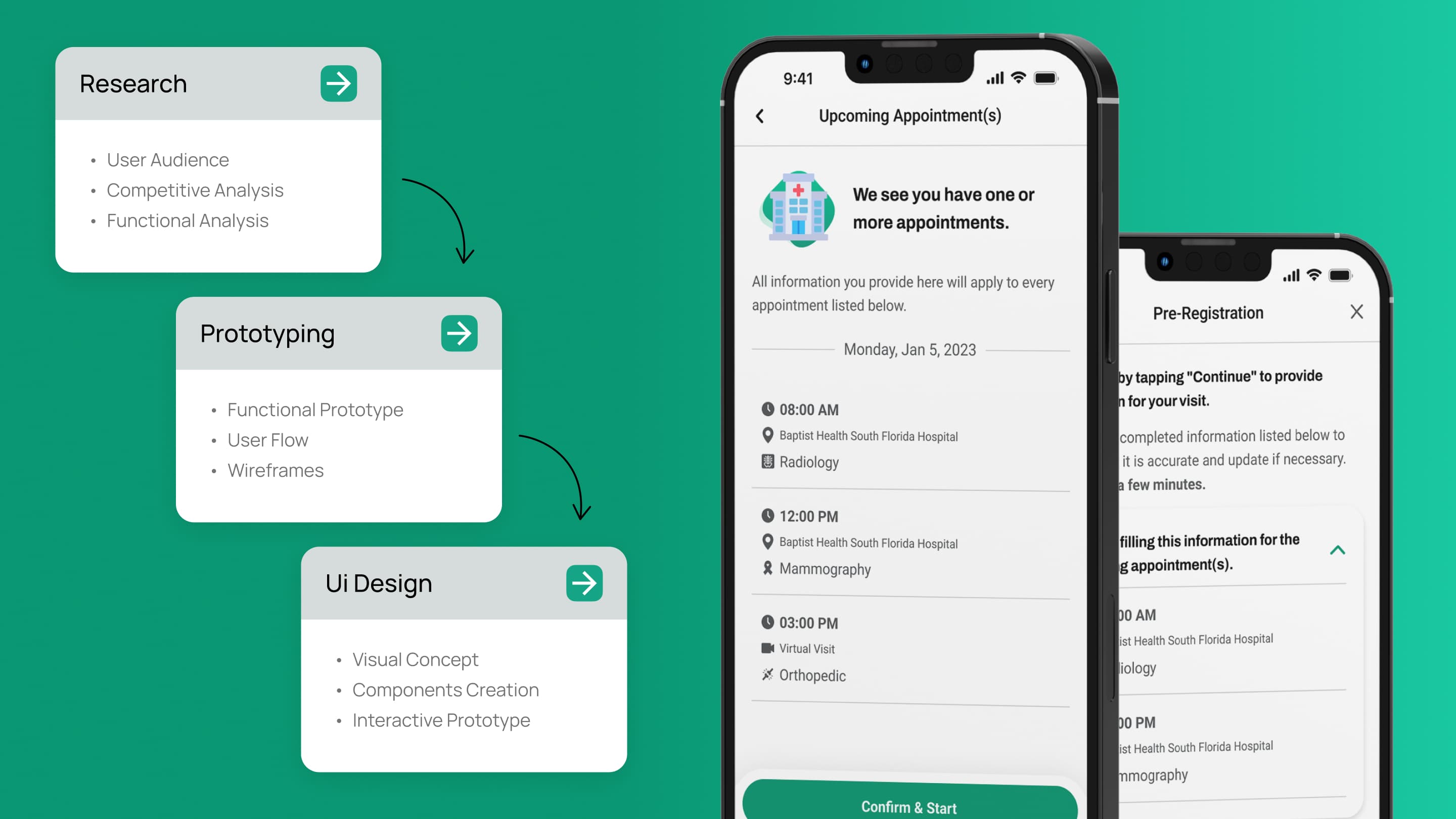
UX Structure
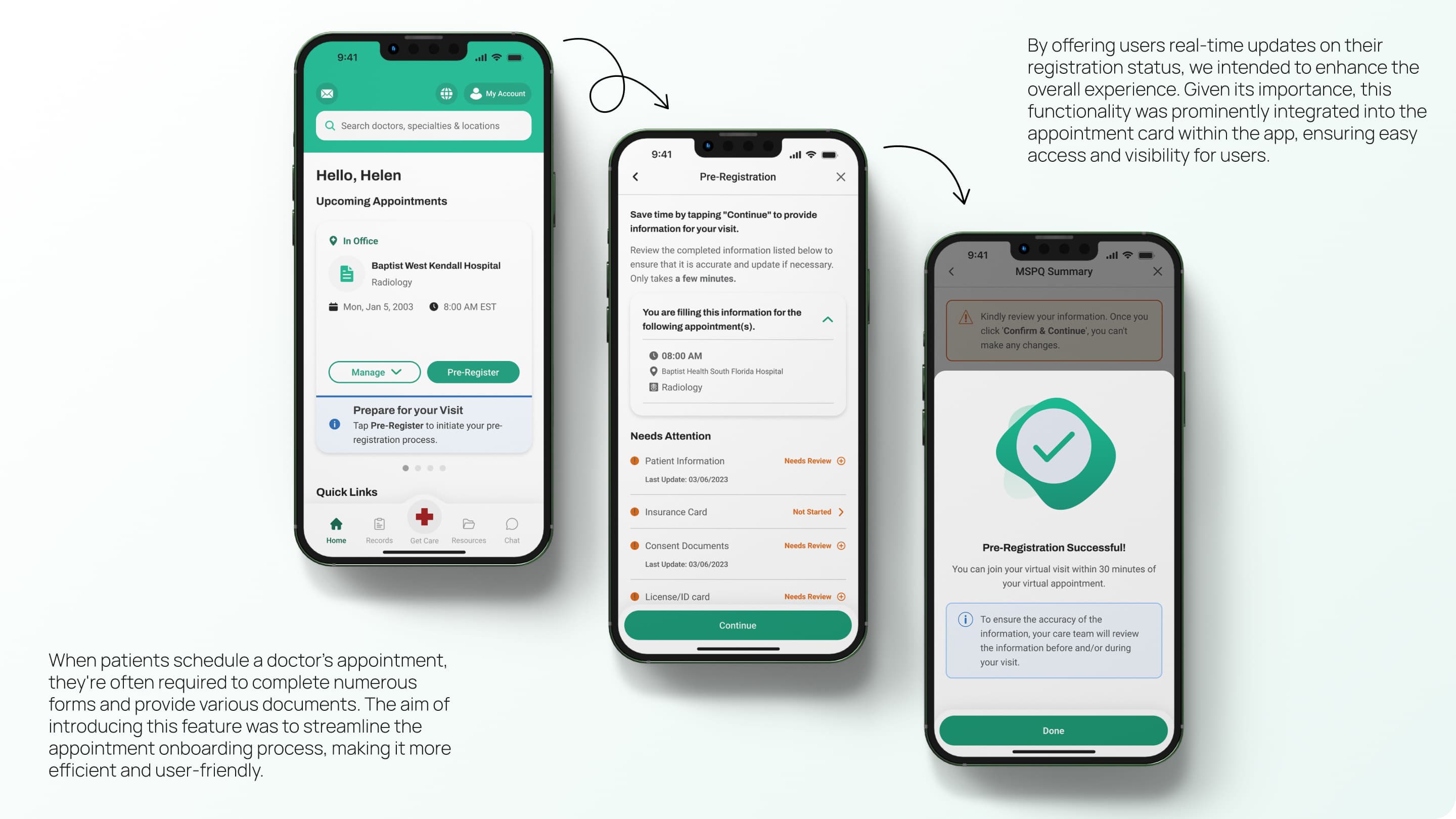
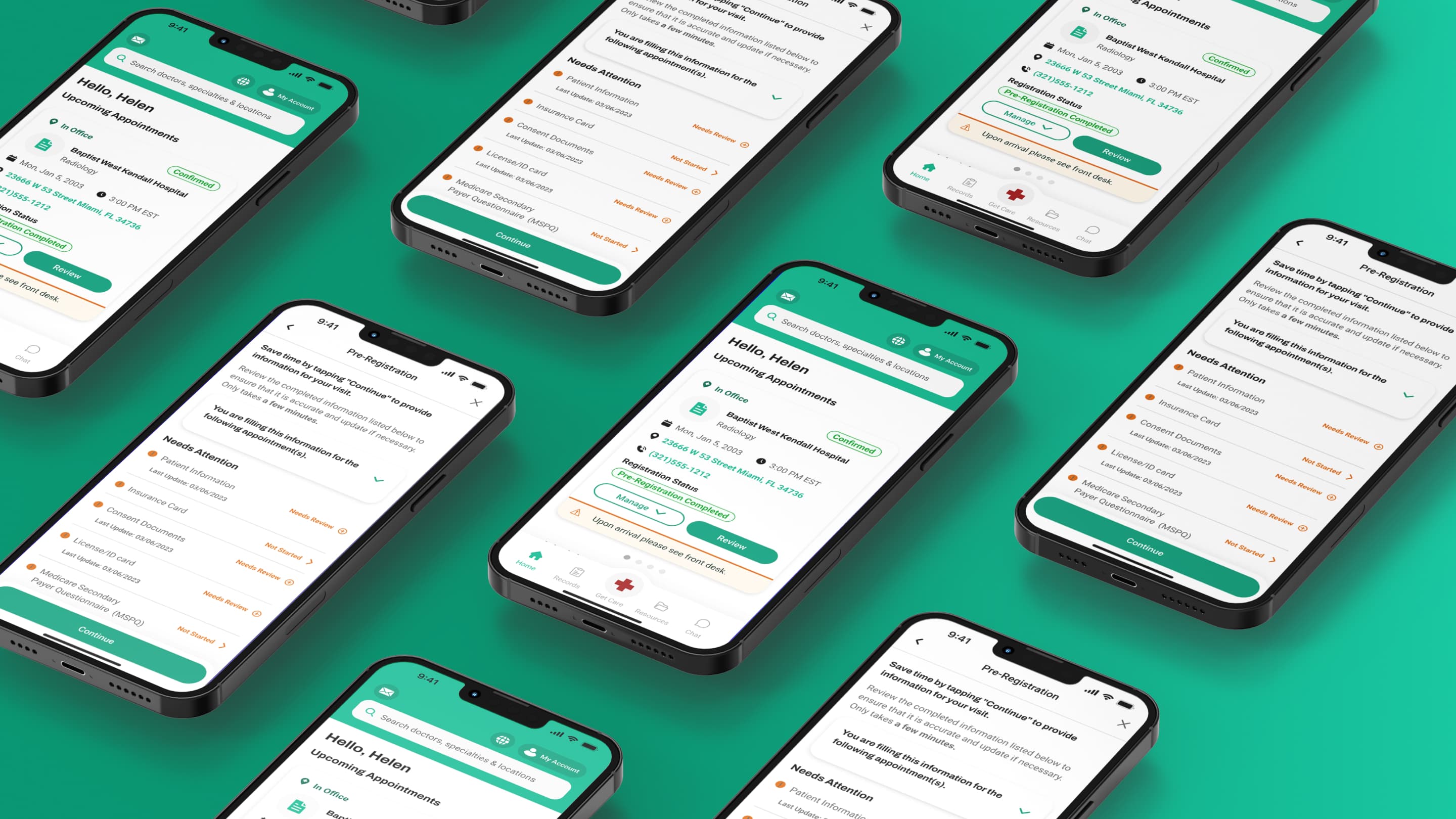
The flow was built around one goal: arrive at the hospital with everything already completed. The design system ensured consistency across four key steps — from entry point through completion — using functional color (Baptist Health green for actions, amber for attention states), high-contrast typography optimized for older adults, and thumb-friendly mobile layout throughout.
Entry Point
CTA on appointment card with contextual hint to guide users
Multi-Appointment
Dedicated screen for multiple appointments on the same day
Pre-Registration
Core checklist where users submit required documents in any order with sticky CTA
Success State
Success screen with arrival instructions and push notifications
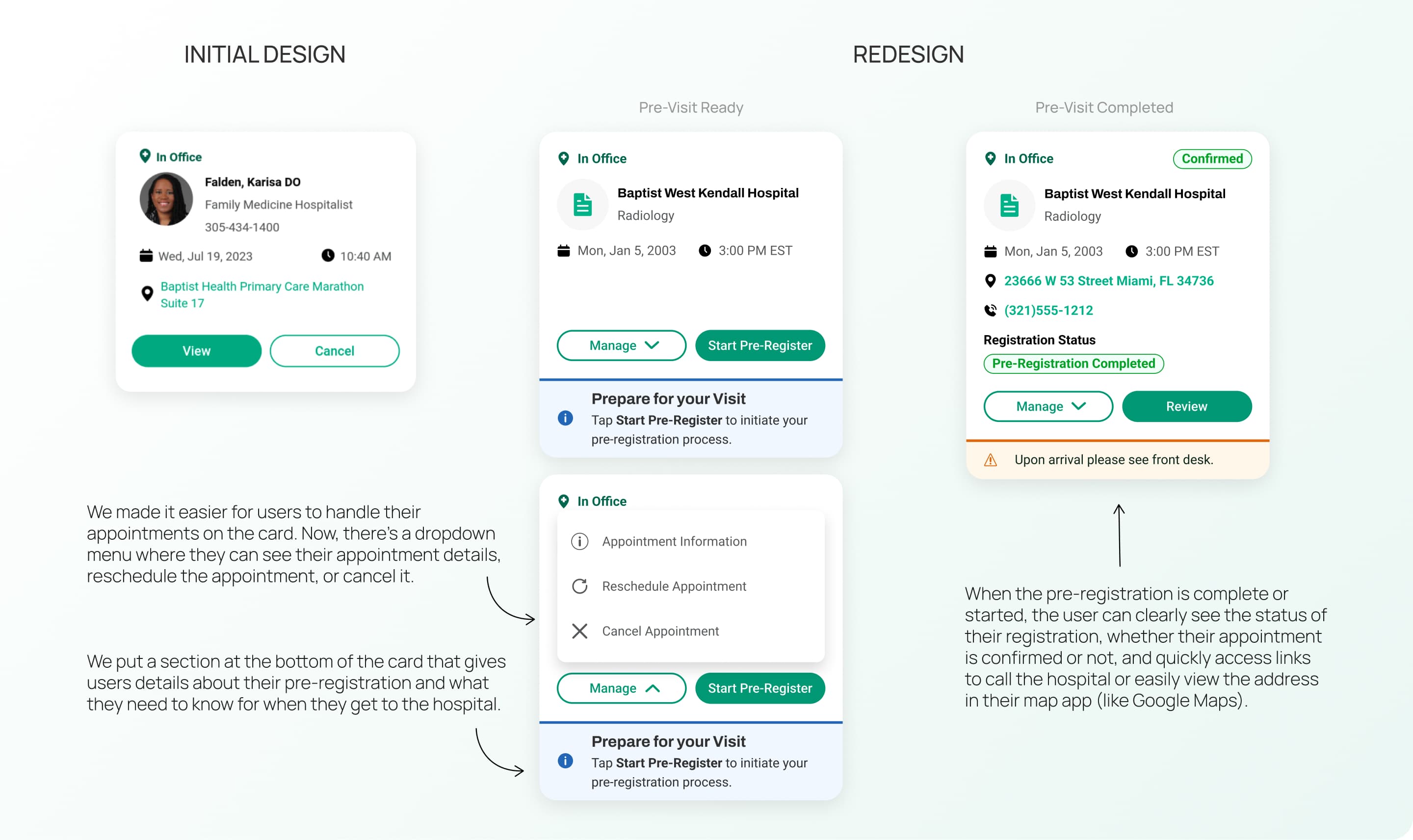
Home Card Redesign
The appointment card on the Home screen was redesigned to surface the Pre-Visit entry point without disrupting the existing UI.
A Manage dropdown consolidated secondary actions — appointment info, reschedule, cancel — freeing the primary CTA area for Pre-Register and its contextual hint.
Once pre-registration was complete, the card updated to show a Confirmed badge, registration status, tappable address and phone links, and a Review button replacing the Pre-Register CTA.
Result
The Pre-Visit flow shipped to production and replaced a manual, in-person process with a mobile-first digital experience available to Baptist Health patients before their hospital visits.
What this project demonstrates
- Complex process translation: Turning an offline hospital workflow into a clear mobile experience.
- System thinking: Designing a multi-state component architecture that supports different document types, appointment quantities, and user confidence levels.
- Accessibility-minded UX: Designing for low digital literacy without making the product feel limited for more capable users.
- Design system extension: Working inside an established system and extending it with native-feeling components.
- Shipped product work: Delivering production-ready design that reached real users.
Reflection
This project pushed me to think carefully about the gap between a user's real context and what a clean interface often assumes about them.
Designing for patients in their 60s and 70s — many managing health anxiety alongside unfamiliar technology — meant that clarity was not a nice-to-have. It was the core requirement.
It also showed how a single feature can cascade through an existing product. The Pre-Visit flow touched the Home screen, the appointment card, the notification system, confirmation logic, document components, and edge-case handling. Getting that right required thinking in systems, not just screens.
Next project
BlockBind